
Your AI. Your own service.
Turn your local AI into a paid web service.
Offer a useful AI service powered by your own computer. Choose a local model, set your price, and bring checkout, job management, and delivery together. Familiar payments first. Crypto optional.
What is Trinity?
Trinity is a project for running a paid AI service from your own computer. Give customers a clear task to order, process the work with your chosen local model, and return a useful result.
The planned workflow brings your service page, checkout, job queue, and results together. Standard payments come first. Crypto is an optional payment route, and you choose the models, prices, and operating limits.
Service Builder
Define one useful task, its required inputs, and exactly what a customer will receive.
Your Local Models
Choose a model that fits your computer and the work you want your service to handle.
Familiar Checkout
Make ordinary card payments the default, with supported mobile wallets through your chosen payment provider.
Optional Crypto
Add crypto as another way to pay. Customers can choose it when you enable the relevant payment route.
File Intake
Collect the documents, text, and instructions needed for each job through a clear request form.
Job Queue
Keep paid requests organized and process work at a pace your computer can support.
Results & Receipts
Give each customer a clear job status, a downloadable result, and a record of their order.
Quality Checks
Build checks into your workflow and review results before delivery when the task needs a human judgment.
Pricing & Limits
Set prices, input limits, and job capacity to match the work and resources your service requires.
Operator Dashboard
See requests, payment status, and processing activity together, with control over when your service accepts work.
Start with one useful service
Possible services for Trinity. Choose a focused task with an output your customers can review and use.
Meeting Recaps
Turn a transcript into clear next steps.
- Summarize the main discussion and decisions
- Pull out action items, owners, and open questions
- Prepare an editable follow-up draft
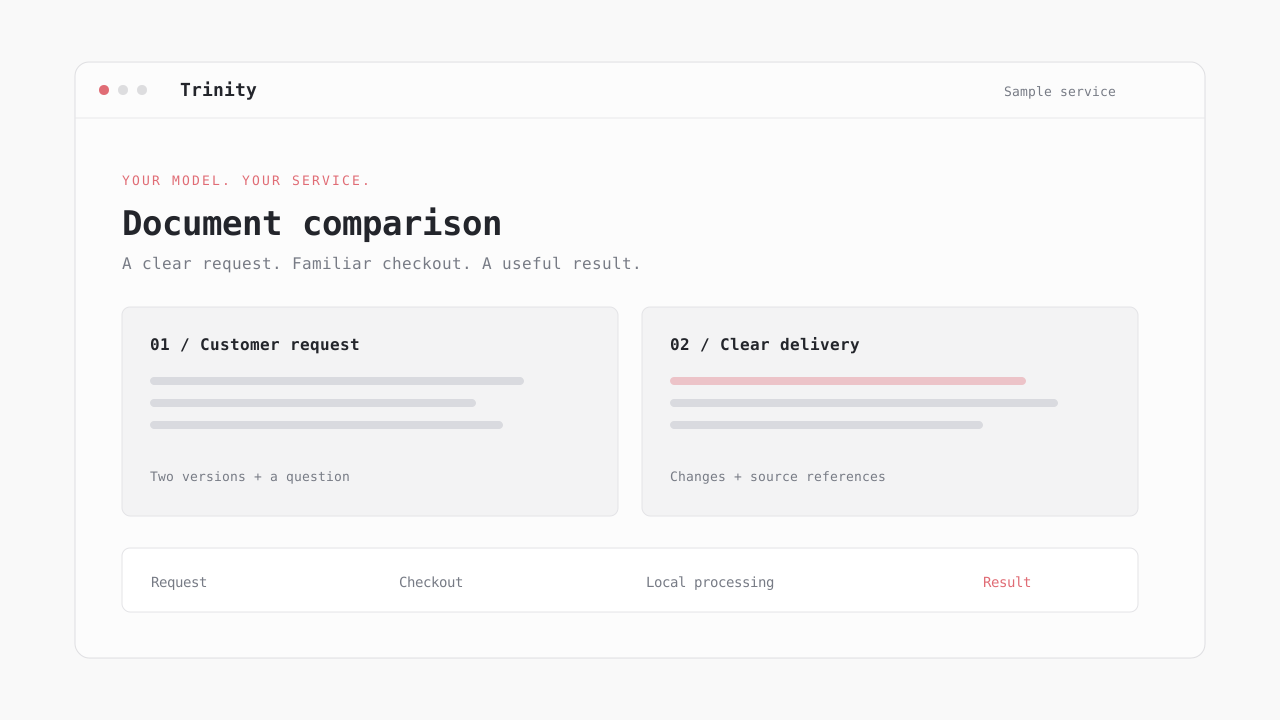
Document Comparison
See what changed between two versions.
- Accept two documents and a specific comparison goal
- Highlight differences with supporting source references
- Return a clear report and questions for human review
Content Repurposing
Create drafts from material a customer provides.
- Start with an article, transcript, or product brief
- Draft versions for a chosen audience and format
- Return editable copy for the customer to approve
Data Cleanup
Prepare small datasets for the next step.
- Accept a structured file and clear cleanup rules
- Standardize fields and flag missing information
- Return the cleaned export and a change summary
Choose how customers pay
One service and one job flow, with payment options you choose to enable.
| Payment route | Customer experience | Operator setup | Role in Trinity |
|---|---|---|---|
| Card checkout | Pay through a familiar checkout | Connect a payment provider | Planned default |
| Mobile wallets | Use an available device wallet | Enable options supported by your provider | Optional convenience |
| Crypto | Choose an enabled network and currency | Configure a compatible payment adapter | Optional payment route |
| Order confirmation | Receive a clear order record | Match each payment to one job | Shared across methods |
| Job status | Track processing and delivery | Use one queue for paid work | Shared across methods |
| Credits or refunds | Follow the service’s stated policy | Handle failures and duplicate payments | Part of payment setup |
Start with the computer you have
The right setup depends on the task. Test a small workflow before deciding what hardware or capacity you need.
Choose One Task
Start with a repeatable job and a clear output, such as a short meeting recap.
Measure quality before adding more services.
Pick a Local Model
Choose a model that can handle your inputs within the memory available on your computer.
Model size and input length affect resource use.
Measure Each Job
Record processing time and review results on representative sample requests.
Use measured performance to set expectations.
Set Your Capacity
Choose queue limits and operating hours that your machine and connection can support.
Expand only when the workflow is reliable.
From local AI to a useful service
The planned path from a working local workflow to a customer-ready service.
Define One Skill
Choose a repeatable task, the inputs it needs, and a clear finished result.
Choose a serviceConnect Your Model
Pick a local model for your hardware and test the workflow on sample inputs.
Explore local processingSet Up Checkout
Choose a price and standard payment options. Add crypto only if you want it.
Compare payment optionsDeliver the Result
Queue paid requests, process the work, and return results with a clear order record.
Review the workflowOne service. A clear customer experience.
Start with a task you can explain, test, and deliver reliably. See how the request, payment, and result fit together before expanding.
Frequently Asked Questions
The idea, payment options, and what this preview includes.
A customer job, from start to finish
Try a sample request, choose a payment option, and follow the result through delivery. An interactive preview of the Trinity experience.
Explore Trinity
Learn how your model, customer experience, payments, and local worker fit into one focused service.
From request to result
Useful tasks you can offer
Answers about the experience
Match the model to your machine
Connect your chosen model
Where customer files go
Familiar checkout, optional crypto
What comes after this preview